First boot on the Voron 2.4: one cube, three belt passes, and a 0.18 mm racking error
A self-sourced Voron 2.4 350 does not print correctly the first time, and pretending otherwise wastes a week. This is the shakedown log: what the very first cube actually measured, why the horizontal band at 12 mm was a mechanical problem rather than a slicer problem, and the two numbers — belt frequency and gantry racking — that fixed it.
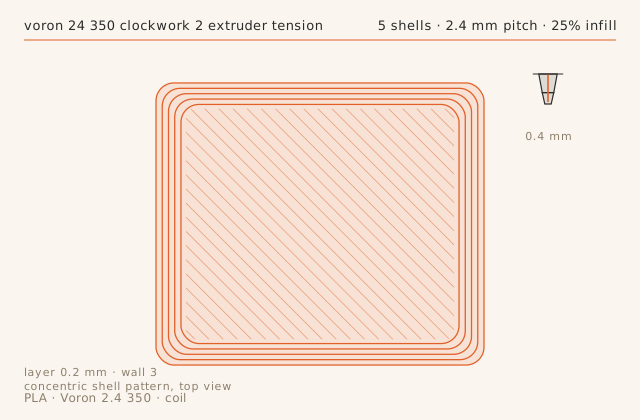
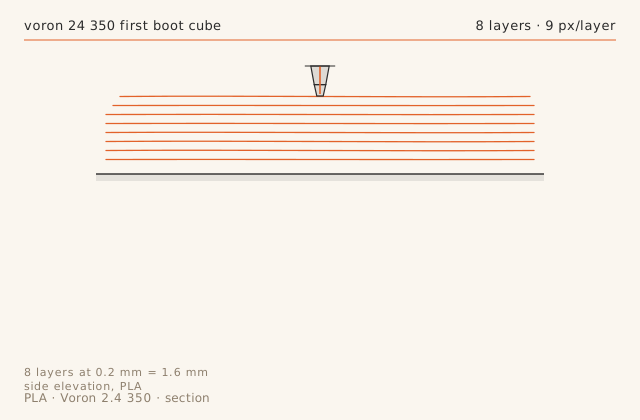
Slice diagramsDrawn from this entry’s own slicer settings.
Print record
- Machine
- Voron 2.4 350
- Material
- PLA
- Nozzle
- 0.4 mm
- Layer height
- 0.2 mm
- Walls
- 3
- Infill
- 25%
- Print time
- 38 min
- Published
- August 25, 2026
Square the gantry before you tune anything
The temptation after a first boot is to open the slicer and start changing flow. That is backwards. A CoreXY gantry that is racked by even 0.15 mm will produce a Z band that no slicer setting can remove, because the two Z joints are physically at different heights. Before the first print, put a dial indicator on the left Z joint, jog the gantry down until it touches, zero the indicator, then jog across to the right joint without moving Z. The difference is your racking number.
Mine read 0.18 mm. The fix is mechanical: loosen the four gantry extrusion bolts, let the gantry rest on two identical spacer blocks at the front, re-tighten, then repeat the indicator check. Do this before belt tension, because a racked gantry changes the belt path and will give you a false frequency reading.
Belt tension in hertz, not in feel
A/B belt tension on a Voron is measured, not felt. Pluck the belt like a guitar string about 150 mm from the toolhead and read the frequency with a phone tuner app. The community target for a 2.4 with 9 mm belts is roughly 110 Hz, and the important part is that the two belts match within about 5 Hz. Mismatched belts show up as skewed square corners, not as ringing.
I started at 92 Hz on A and 89 Hz on B. Both were loose enough that corner rounding was visible at 0.2 mm layer height. After tensioning to 110 and 108 Hz the same cube held its corners at 90 degrees, measured with a machinist square against a backlight.
The first-layer pass is a separate job
Do not evaluate the rest of the print until the first layer is consistent. Print a single-layer 180 mm square with a 0.25 mm first layer and look at it against a window: the extruded lines should be flat ribbons with no gaps and no ridges. Gaps mean the nozzle is too high on that part of the bed; ridges that squeeze up beside the nozzle mean it is too low.
My rear-left corner was translucent. That is 0.05 to 0.07 mm too high, and it is a bed-surface problem, not a Z-offset problem — a single global offset would have buried the front-right corner. Raising the probe grid to 9x9 samples that corner often enough for mesh compensation to catch it, and adding 0.02 mm globally brought the whole sheet into range.
What the cube actually measured
After the two mechanical fixes the cube came out at X 20.02, Y 19.96, Z 19.94 mm. X and Y are within the +/-0.05 mm that a 0.4 mm nozzle can realistically hold; the Z figure is short because a 0.25 mm first layer squished to about 0.22 mm and the slicer still counted it as 0.25. That is a measuring artifact, not a machine fault — if you need true Z height on a part, add the difference back or measure a feature that does not include layer one.
The useful habit is to print the same cube after every mechanical change for the first month. Three cubes with a written measurement each is worth more than an afternoon of eyeballing prints.
Failure chainWhat went wrong, what was done about it, and what came out the other side.
-
Step 01
Symptom
Horizontal band at 12 mm Z on all four walls, worse on the front face.
Fix
Measured gantry racking with a dial indicator on each Z joint: 0.18 mm difference left-to-right. Re-squared the gantry against the frame, then re-tensioned both A/B belts to 110 Hz with an audio analyser.
Result
Band disappeared. Repeat cube showed no visible Z artifact at 6x magnification.
-
Step 02
Symptom
Rear-left corner of the first layer came out translucent, front-right was glassy.
Fix
Raised probe grid from 5x5 to 9x9 and added 0.02 mm to the global Z offset. The rear-left of the bed sits 0.06 mm low once the chamber is warm.
Result
Squish is now even across the sheet at 60 C chamber-stable temperature.
Dimensional check
- Feature
- 20 mm calibration cube, three axes
- Nominal
- 20 mm
- Measured
- 19.94 mm-0.06
- Tolerance
- ± 0.08 mm
- Note
- X 20.02, Y 19.96, Z 19.94 — Z shrank because the first layer was squished 0.03 mm flatter than the slicer assumed.
Slicer profile
printer_model: Voron 2.4 350
layer_height: 0.20
first_layer_height: 0.25
extruder: Clockwork 2 / Dragon HF 0.4
perimeters: 3
infill: 25% grid
speed: 180 mm/s outer wall 90
accel: 8000 mm/s2
nozzle_temp: 215
bed_temp: 60
part_cooling: 100% after layer 2
pressure_advance: 0.038
What carried over
- Measure gantry racking with a dial indicator before touching belt tension or slicer settings.
- Target 110 Hz on both A/B belts and keep the two belts within 5 Hz of each other.
- Judge the first layer on a one-layer 180 mm square, not on the bottom of a cube.
- A short Z measurement on a single cube is usually first-layer squish, not a Z calibration fault.
Verdict
The machine is mechanically sound after squaring and tensioning. Accept 0.2 mm layer height as the working default and do not chase slicer flow until a second cube confirms the numbers hold.
Also on this machine Voron 2.4 350
-
Print log
A loose extruder latch cost 17 percent of the wall thickness and looked like a slicer problem
Intermittent under-extrusion with no pattern in the preview is almost never a slicer problem. This log is the diagnostic sequence that found it — measure the wall, measure the extrusion force, then adjust one thing at a time — and the narrow window between too loose and too tight on a Clockwork 2.
- MaterialPLA
- Nozzle0.4 mm
- Layer height0.2 mm
- Print time1 h 36 min
- Failure chain2
-
Tune profile
A PA6-CF profile for the Voron 2.4, and the two failures that dominate it
Carbon-filled nylon is the material where preparation matters more than settings. This is the profile that produced three consecutive clean three-hour prints: 285 C, no part cooling, 6 mm3/s, and a dry box on the machine at all times. It also covers the two failure modes that account for almost every bad PA6-CF print.
- MaterialPA6-CF
- Nozzle0.4 mm
- Layer height0.25 mm
- Print time2 h 58 min
- Failure chain2
-
Print log
Clearance coupons: finding this machine's real tolerance in one 64-minute print
Every FDM machine has a minimum clearance below which parts fuse, and it is not in any spec sheet. This log prints a six-clearance coupon, corrects the two slicer compensations that decide the answer, and settles on the numbers to design against on this specific Voron.
- MaterialPLA
- Nozzle0.4 mm
- Layer height0.2 mm
- Print time1 h 4 min
- Failure chain2