Cold pulls on a Nextruder: three pulls, and the pitting that looked like under-extrusion
Surface pitting with correct wall dimensions is not a flow problem, it is contamination. This log covers the cold pull procedure that works on a MK4's Nextruder nozzle, why the temperature matters more than the method, and the purging step after it that most people skip.
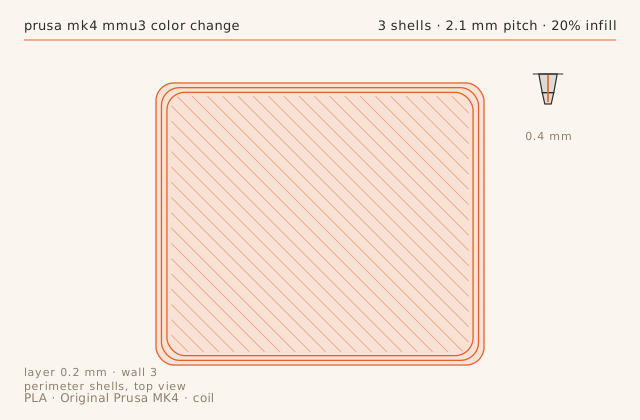
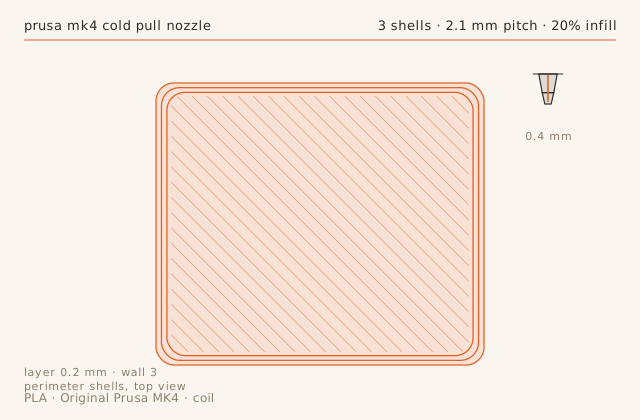
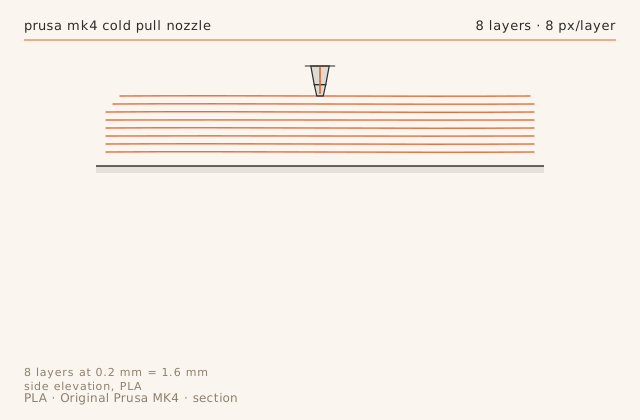
Slice diagramsDrawn from this entry’s own slicer settings.
Print record
- Machine
- Original Prusa MK4
- Material
- PLA
- Nozzle
- 0.4 mm
- Layer height
- 0.2 mm
- Walls
- 3
- Infill
- 20%
- Print time
- 1 h 1 min
- Published
- October 13, 2026
Diagnose contamination by what does not change
The wall measured 0.41 mm against a 0.42 mm target, which is correct. If a print has pits and specks but the measured wall is on dimension, the extruder and flow settings are fine and something is interrupting the flow intermittently. That something is almost always carbonised debris or a bit of foreign material from a previous spool.
The giveaway is that the pits repeat at the same Z height on parts printed from the same gcode. Random flow errors do not repeat; a particle stuck in the melt zone does.
Cold pull temperature is the whole technique
Pull too hot and the filament comes out as a string, leaving the debris behind. Pull too cold and it snaps off in the melt zone, which is a much worse problem. On this Nextruder, 90 C produced a clean plug with the debris ringed on it, and two follow-up pulls came out uniform.
Use cleaning filament rather than the working filament if you have it. PLA at 90 C is brittle enough to snap, and a snapped cold pull inside a Nextruder is a disassembly job rather than a maintenance task.
Purge before you judge the result
The first 20 mm of the next print extruded inconsistently because cleaning filament was still in the melt zone. Cleaning filament melts at a different rate, so leaving even a small amount behind produces a print that looks like a flow fault. Purge 120 mm of working filament at the working temperature before starting.
This is the step that makes people conclude the cold pull 'did not work' when in fact it worked and was then undone by the next print.
How often, and when to stop
Three pulls every 200 to 300 grams of filament is enough on a well-ventilated hotend. If a fourth pull is still coming out black, the contamination is above the nozzle and a cold pull will not reach it — that is a hotend teardown, not a maintenance procedure.
If the same spool is pitting again within 50 grams, the problem is the filament, not the nozzle. Checking that costs nothing and saves an unnecessary teardown.
Failure chainWhat went wrong, what was done about it, and what came out the other side.
-
Step 01
Symptom
Random small pits and specks of dark material in the wall of an otherwise correct print.
Fix
Cold pull at 90 C with cleaning filament: the first pull came out with a ring of carbonised debris. Two more pulls produced clean, uniform tips.
Result
Pitting gone on the next print. Wall width unchanged at 0.41 mm, which confirms it was contamination rather than a flow error.
-
Step 02
Symptom
Extrusion was inconsistent for the first 20 mm of the next print after the cold pull.
Fix
Leftover cleaning filament was still in the melt zone. Purged 120 mm of the working filament through before starting.
Result
Consistent from layer one. Cleaning filament and PLA have different melt behaviour; purge thoroughly.
Dimensional check
- Feature
- 40 mm wall width, before and after the cold pull
- Nominal
- 0.42 mm
- Measured
- 0.41 mm-0.01
- Tolerance
- ± 0.03 mm
- Note
- Wall width was already correct at 0.41 mm. The cold pull changed surface finish and eliminated random pitting, not the dimension.
Slicer profile
printer_model: Original Prusa MK4 0.4
layer_height: 0.20
perimeters: 3
infill: 20% grid
speed: 150 mm/s outer wall 90
accel: 4000 mm/s2
nozzle_temp: 215
bed_temp: 60
part_cooling: 100%
pressure_advance: 0.035
note: printed immediately after a cold pull at 90 C
What carried over
- Pitting with correct wall dimensions is contamination, not a flow setting.
- Cold pull at 90 C on this Nextruder; hotter strings, colder snaps.
- Purge 120 mm of working filament after a cold pull before judging the result.
- If a fourth pull is still black, the debris is above the melt zone and needs a teardown.
Verdict
Three cold pulls removed the pitting entirely with no change to any slicer setting. Added to the maintenance card at every 250 grams.
Also on this machine Original Prusa MK4
-
Print log
MMU3 colour changes: purge volume matters more than anything else in the profile
Multi-colour printing on the MK4 fails in two ways — dirty transitions and dragged strings — and both are purge and ramming problems rather than model or slicer problems. This log covers a 13-change 60 mm plaque, the purge volume that finally produced clean boundaries, and the 9 seconds each ramming cycle costs.
- MaterialPLA
- Nozzle0.4 mm
- Layer height0.2 mm
- Print time3 h 56 min
- Failure chain2
-
Print log
TPU 95A on a direct-drive MK4: 3 hours 25 minutes for a part that takes 50 in PLA
Flexible filament on a direct-drive printer is not hard, it is slow, and the failure mode is always the same — the filament buckles between the gears and the melt zone. This log covers the two settings that prevent it, why flexible parts need deliberate over-extrusion, and how long it really takes.
- MaterialTPU-95A
- Nozzle0.4 mm
- Layer height0.25 mm
- Print time3 h 25 min
- Failure chain2
-
Print log
Organic supports on the MK4: the z-gap that works for PETG is not the one that works for PLA
Tree supports look like a solved problem until the material changes. PETG welds to itself across a 0.15 mm gap, so the standard PLA clearance fuses the support to the part. This log covers the gap and interface settings that make PETG supports break away by hand, and the stability fix that stopped a tall tree from falling over.
- MaterialPETG
- Nozzle0.4 mm
- Layer height0.2 mm
- Print time2 h 52 min
- Failure chain2